 MAD CHEFS! 🧑🍳
 [MACHINERY] Brick By Brick
 SNIPESHOT
 [UPD] Steal A Soccer Star
  [🍲] Karinderya!
 Tomato Tower
 +1 Dance Battle Evolution
 [UPD🎃] AWP Arena
 Rugby Rumble
 Dreamality [SKY STATION🚆]
 S Tower
 Dropper 🌈 300 Levels
 [UPD✈️] +1 Money Per Click 💸
 TDS: Reforged (TRUE HARDCORE)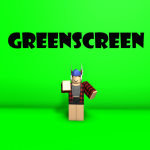
0
playing now
CollectingOne count so far in this range. The chart fills in as RoSession counts.
Counted by RoSession since Oct 21, 2026
24h high0
Likes–
Visits130K
Visits a day–
Favorites1.5K
Peak seen0
Day by day
UTC daysThe first daily summary appears after a second count today.
About
Greenscreen with poses for thumbnails. Tutorial to use: 1. Open the tool in your inventory 2. Click once 3. Switch to the new tool that appears in your inventory 4. Edit pose by moving your mouse around 5. Switch back to the first tool using your keyboard (typically by pressing the number 1) 6. Click again to switch the second tool to a different avatar part To edit a thumbnail: 1. Take a screenshot 2. Open any photo editor with the magic wand tool and configure the background
Source: RoSession tracked data, last updated Oct 21, 11:42 AM UTC. RoSession is not affiliated with Roblox.